Which way for which model
| Model | Connect with | What you enter |
|---|---|---|
| Breez Max, Breez Edge Pro | Cielo | An API key from the Cielo web portal |
| Breez Eco, Breez Lite | Cielo (app login) | Your Cielo Home app email and password |
| Cielo Smart Thermostat | Cielo | An API key. It shows up on Devices, but STR Spark can't control it yet |
Cielo's API key only reaches the models in its first row, so the Eco and Lite need the app login. Each unit only ever shows up under one of the two, so connecting both never doubles anything up.
What you need
- Your Cielo devices set up in the Cielo Home app, each with its air conditioner's remote configured. If you can change a unit's temperature in the app, STR Spark can too.
- For a Breez Max or Edge Pro: your Cielo login, to sign in to the web portal at home.cielowigle.com.
- For a Breez Eco or Lite: the email and password you use in the Cielo Home app.
- An STR Spark account with your property in it. Start a free trial, then import your Hospitable properties or Hostaway listings, or add a property with its iCal calendar link.
1. Breez Max, Edge Pro: get an API key
Read this before you start: a Cielo API key works only once, and Cielo allows three a month. Generate a fresh key just before you paste it into STR Spark, and don't use it anywhere else.
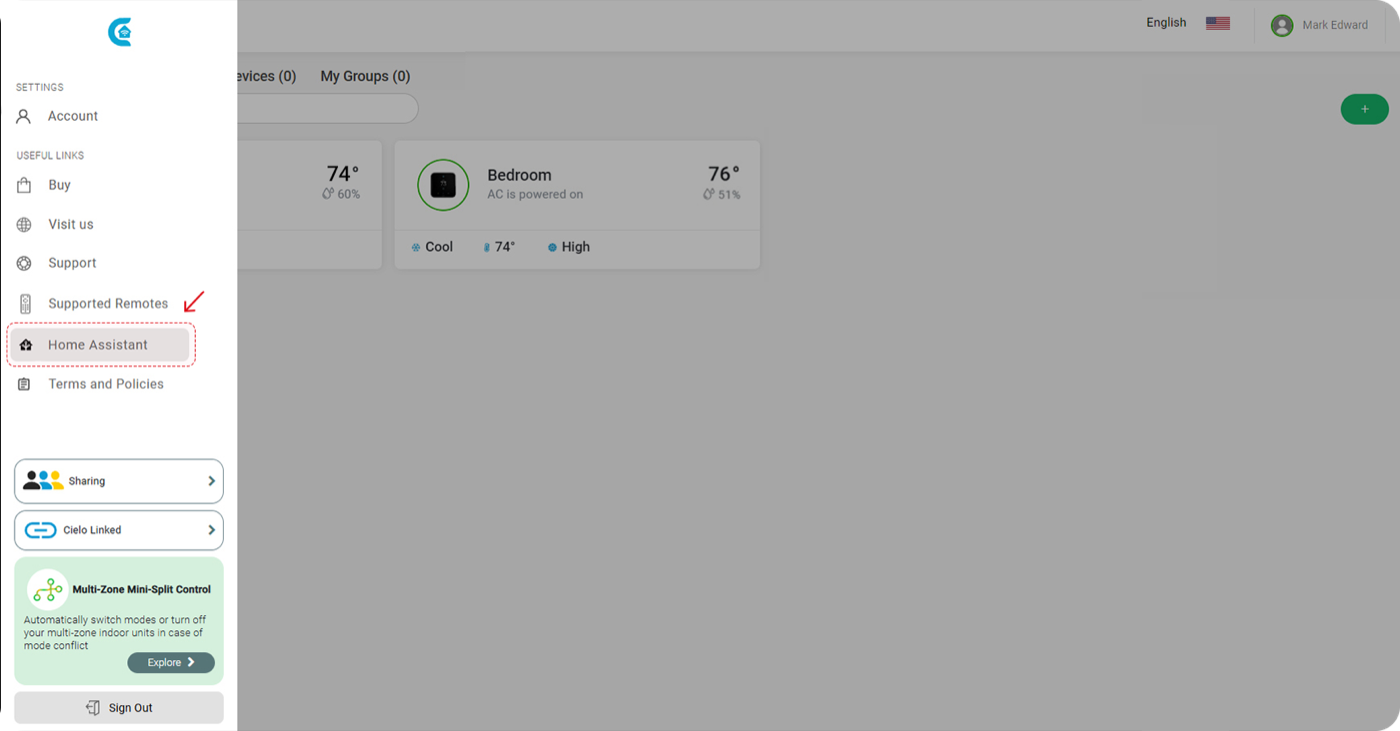
Sign in to the Cielo web portal at home.cielowigle.com. Open the Menu at the top left and choose Home Assistant. Cielo's key is built for its Home Assistant connection; STR Spark uses the same one.
The Home Assistant Integration window shows your API Key. A new key can take up to a minute to appear. Press the copy button beside it.
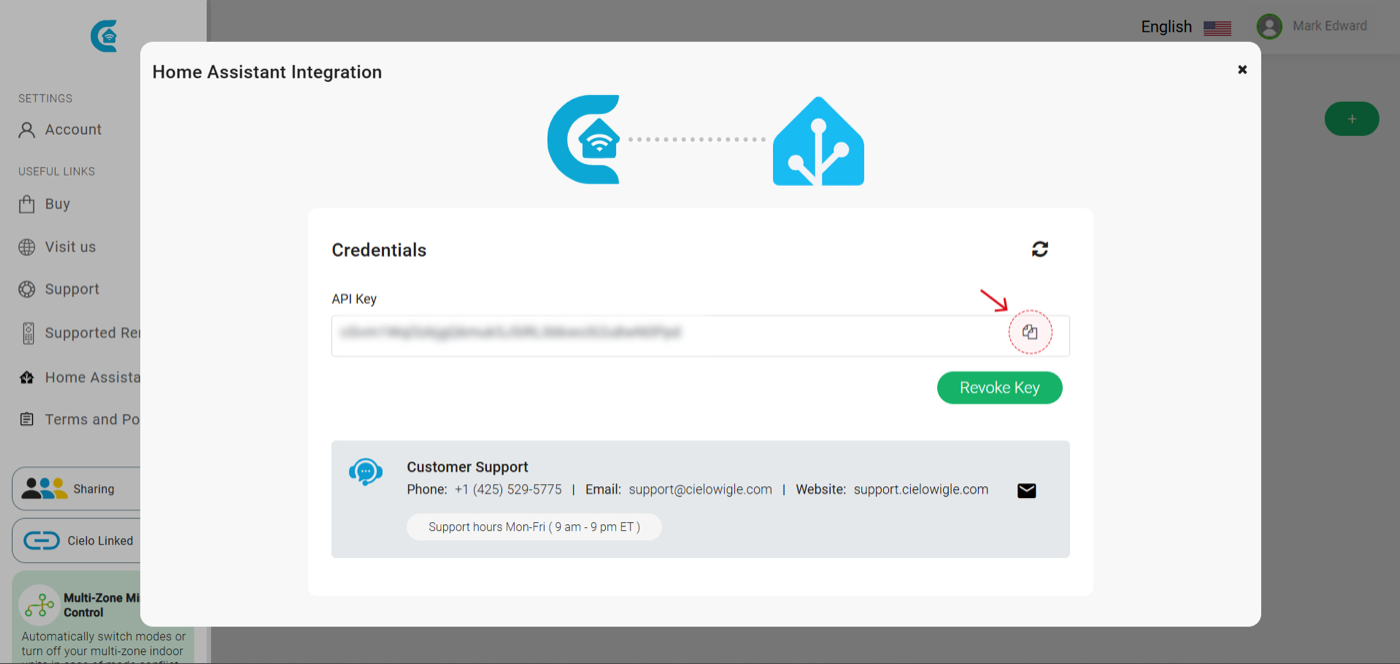
If a key is already shown and it has been used (by Home Assistant or an earlier try), press Revoke Key and generate a new one. Revoking a key disconnects whatever was using it within a minute, so if you run Home Assistant with Cielo, you'll have to choose which one keeps it.
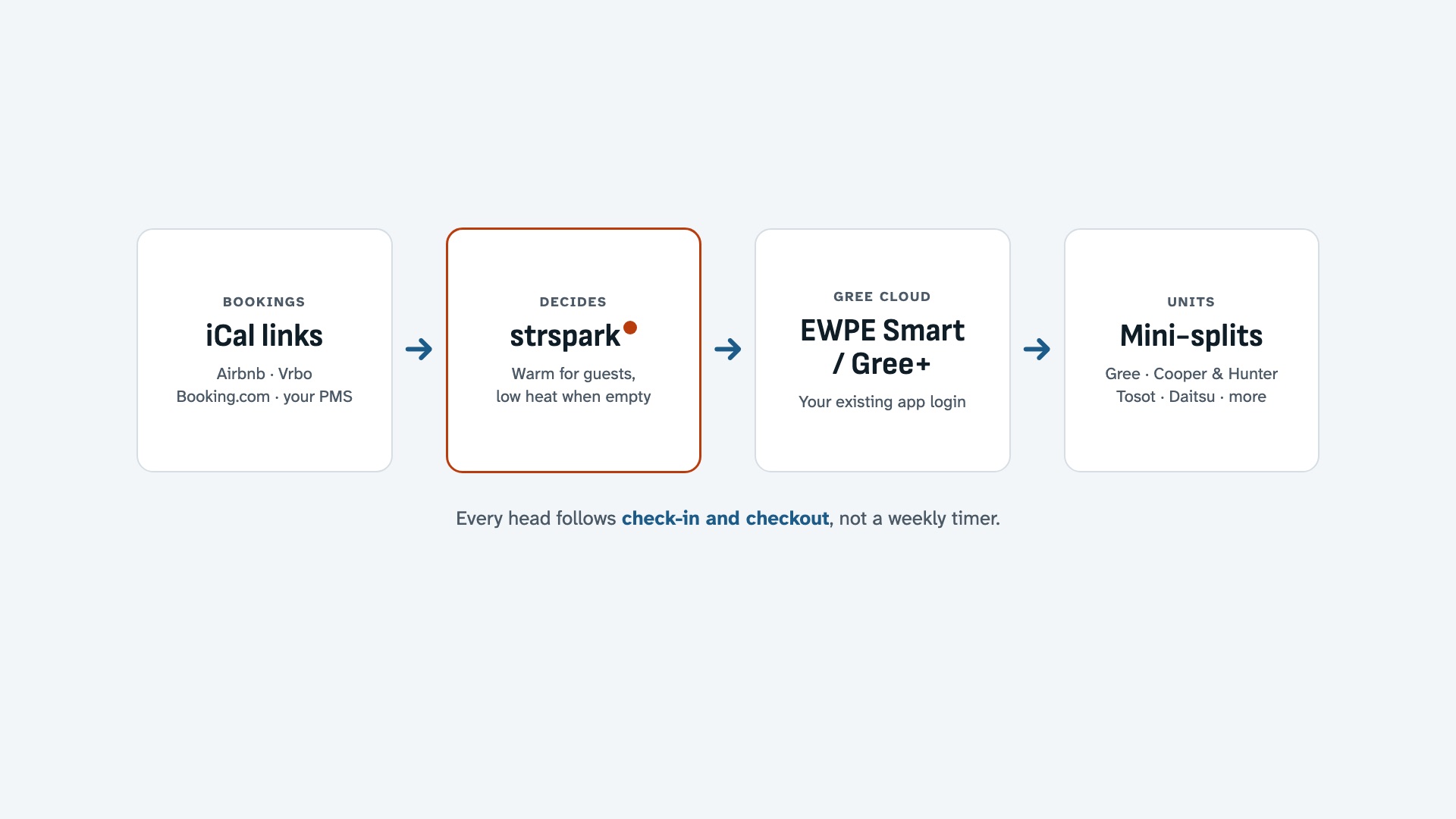
In STR Spark, choose Integrations in the menu on the left, press Add device account and choose Cielo. Paste the key into API key and press Connect and find devices. STR Spark uses the key once, then keeps its own encrypted access to your account.
2. Breez Eco, Lite: use your app login
In STR Spark, choose Integrations, press Add device account and choose Cielo (app login). Enter the email and password you use in the Cielo Home app and press Connect and find devices.
Cielo has no official connection for these models, so this one is marked beta: STR Spark connects the same way the Cielo Home app does. It works today, but it can stop if Cielo changes their app. If it does, your units are left as they are, and the account on Integrations shows what went wrong.
3. Link each unit and turn it on
Open Devices. Your Cielo units are listed, each Not linked and not enabled. In the Property column, pick the property it's in. Then choose its name to open its page and pick a preset:
| Frugal | Default | Comfy | |
|---|---|---|---|
| Ready before check-in | 2 hours | 5 hours | 8 hours |
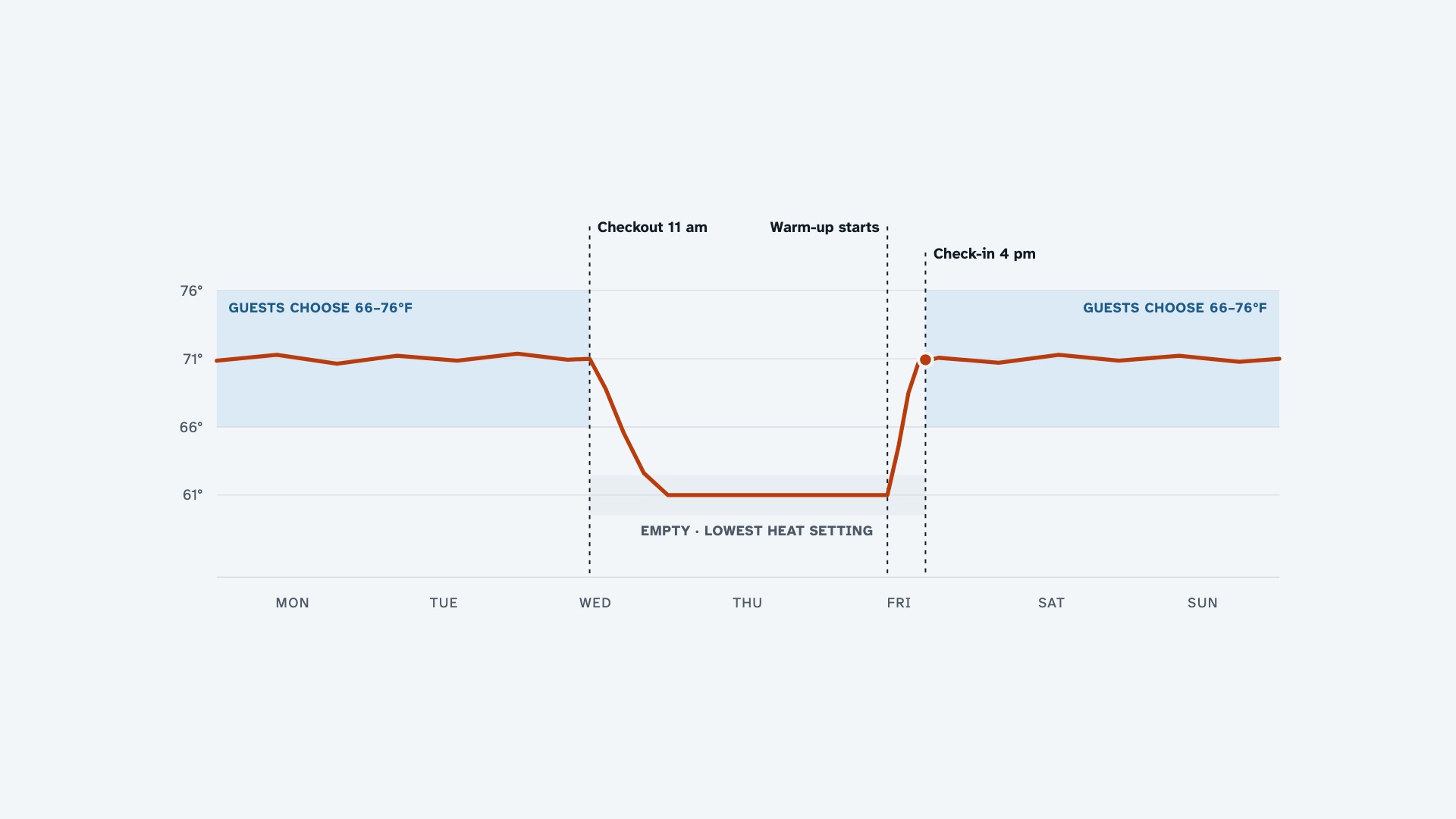
| Temperature for guests | 69°F | 71°F | 72°F |
| Guests can choose between | 64–74°F | 66–76°F | 66–78°F |
| While the property is empty | Heat at the unit's lowest | Heat at the unit's lowest | Heat at the unit's lowest |
Or choose Custom and set your own; you can also make it cool only while guests stay. Switch Enabled on and press Save settings. Press Test on the unit's page any time to see what STR Spark would do right now, without changing anything.
A Breez controls your air conditioner by infrared, like its remote, and can't see what the unit itself is doing. If a guest uses the air conditioner's own remote, Cielo, and so STR Spark, won't know. The next setting STR Spark sends puts it right.
If something goes wrong
- "API key is invalid or already in use." The key has been used before. In the Cielo web portal, press Revoke Key, generate a new one and paste that.
- A Breez Eco or Lite is missing under Cielo. That's expected: connect Cielo (app login) for those.
- The Cielo account shows Reconnect. The key was revoked, or Cielo stopped accepting it. Generate a new key and press Reconnect. Your units and their settings stay as they are.
- You added a unit in the Cielo app later. Press Refresh on your Cielo account in Integrations.
- The unit doesn't do what STR Spark shows. Someone used the air conditioner's own remote. Check the Breez is in sight of the unit, and the setting is sent again at the next change.
Still stuck? Email us or book a call.