1. EWPE Smart vs Gree+: what's the difference?
Both are Gree's own apps for its Wi-Fi air conditioners and heat pumps.
- EWPE Smart is the older app. Many units installed a few years ago, and many sold under other brands, were set up in it.
- Gree+ replaced it, and is the app Gree points new owners to.
They use the same Gree cloud, so an EWPE Smart login signs in to Gree's current cloud too, with all its units still there. We run our own rentals' Gree-built units from an EWPE Smart account, mixing older and newer Wi-Fi modules in the same house.
What neither app does is know about your guests. Their schedules and timers repeat by the day or the week, while a rental runs on check-ins and checkouts that move every week.
2. Which mini-splits work with EWPE Smart and Gree+
Gree builds mini-splits for its own brand and for many others. If a unit is Gree-built and has Wi-Fi, it almost always joins EWPE Smart or Gree+, whatever name is on the front.
| Brand | Notes |
|---|---|
| Gree | Sapphire has Wi-Fi built in. Livo, Vireo, Multi and other lines connect with Gree's Wi-Fi module. |
| Cooper & Hunter (Gree-built lines) | Astoria, Olivia, Mia, Sophia, Dakota and Hyper Heat use a plug-in Wi-Fi module and the Gree app. |
| Tosot | Gree's own value brand. |
| Sinclair, Daitsu, ProKlima | Gree-built, common in Europe. |
| Argo, Innova, Wilfa, Tadiran | Gree-built models listed alongside Gree in smart-home integrations. |
Two things to check before you rely on the table:
- The app is the real test. If you can see and change the unit in EWPE Smart or Gree+, it works. If a unit isn't there yet, put it in Wi-Fi mode from its remote (a Wi-Fi button, or holding Mode and Turbo together on many Gree remotes) and add it in the app.
- Not every Cooper & Hunter unit is Gree-built. Some newer Cooper & Hunter models use the Cooper&Hunter Remote app instead. STR Spark works with those too, as a separate connection.
Wall-mounted heads are the most common, but ceiling cassettes, floor consoles and ducted air handlers with a Wi-Fi module show up in the app the same way, as an air conditioner on your account.
3. What about a thermostat?
A ductless Gree system doesn't need one. Each indoor head has its own sensor and, once it's on Wi-Fi, its own connection to Gree's cloud, so STR Spark sets each head directly.
For a unit without Wi-Fi, add a Cielo Breez smart controller. It sits in the room and sends the same commands as the remote, and STR Spark works with Cielo as well, in the same property as your Wi-Fi units.
4. Why the app's own schedules fall short in a rental
The Gree apps can switch a unit on and off on a timer. In a rental, that runs into the same problems every week:
- Bookings don't repeat. A Friday-to-Sunday timer is wrong the moment a guest books Tuesday to Thursday, extends or cancels.
- Every head is separate. A three-head home means three schedules to change by hand.
- Guests change things. A unit left on Cool, or at 80°F, stays that way through the empty days until your cleaner notices.
- Mixed modes look like a fault. On a multi-zone system, the heads share one outdoor unit that heats or cools, not both. One head on Cool can leave the others blowing cold air, and the guest messages you that the heat is broken.
5. Run your Gree mini-splits from any booking platform with iCal
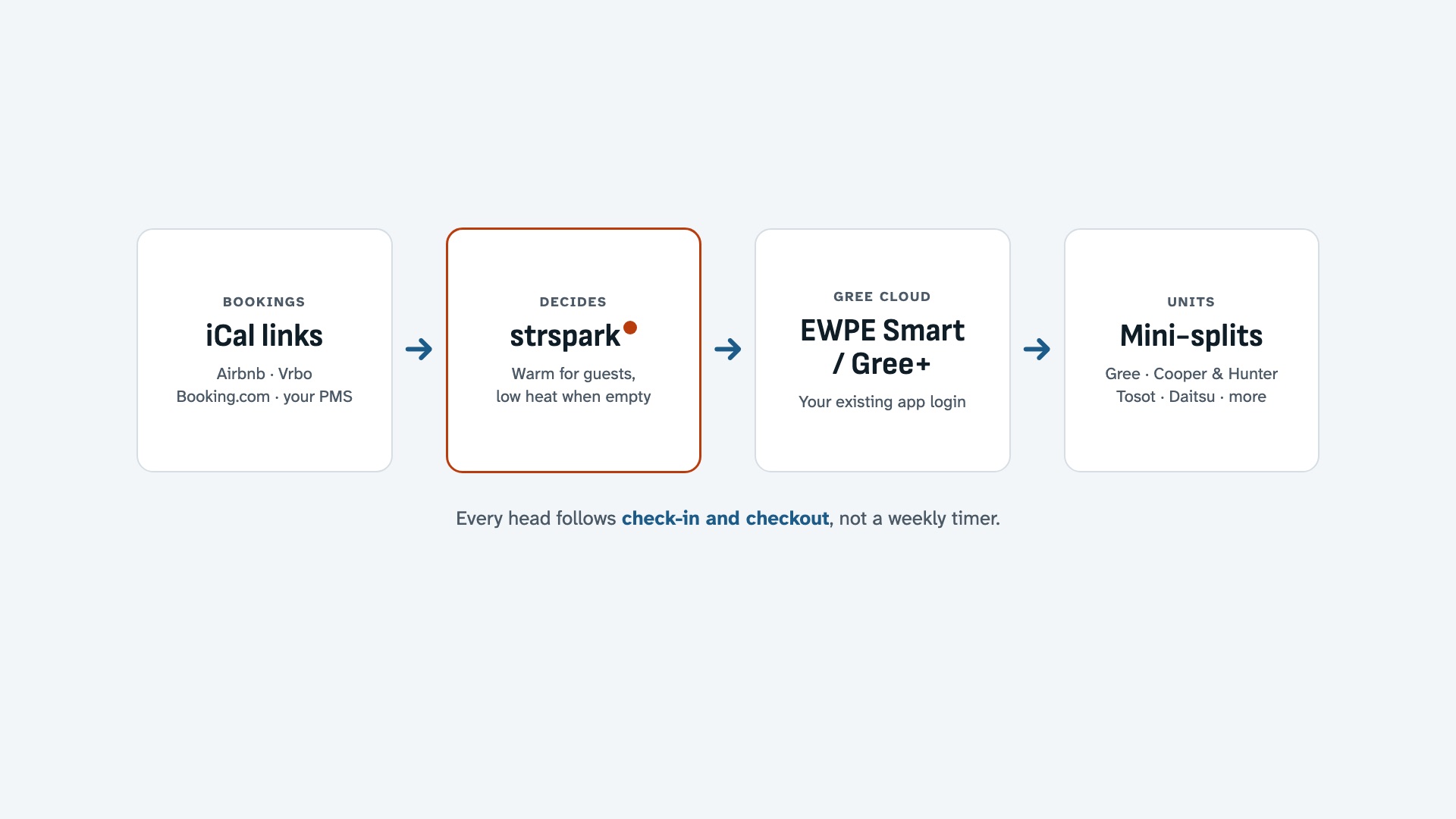
Every major booking platform gives each listing a calendar link (iCal): Airbnb, Vrbo and Booking.com, and PMS tools such as Hospitable, Guesty, OwnerRez and Lodgify. STR Spark reads that link and turns your bookings into settings for every Gree head in the property.
Setting it up takes a few minutes:
- Add your property with its iCal link (or several, if the listing is on more than one platform).
- Connect EWPE Smart / Gree+ on the Integrations page with the email and password you use in the app. Your units appear on their own.
- Link each unit to its property, and start with a dry run to see what STR Spark would do for your next bookings.
- Turn it on. From then on, every head follows your calendar.
What it does with each unit:
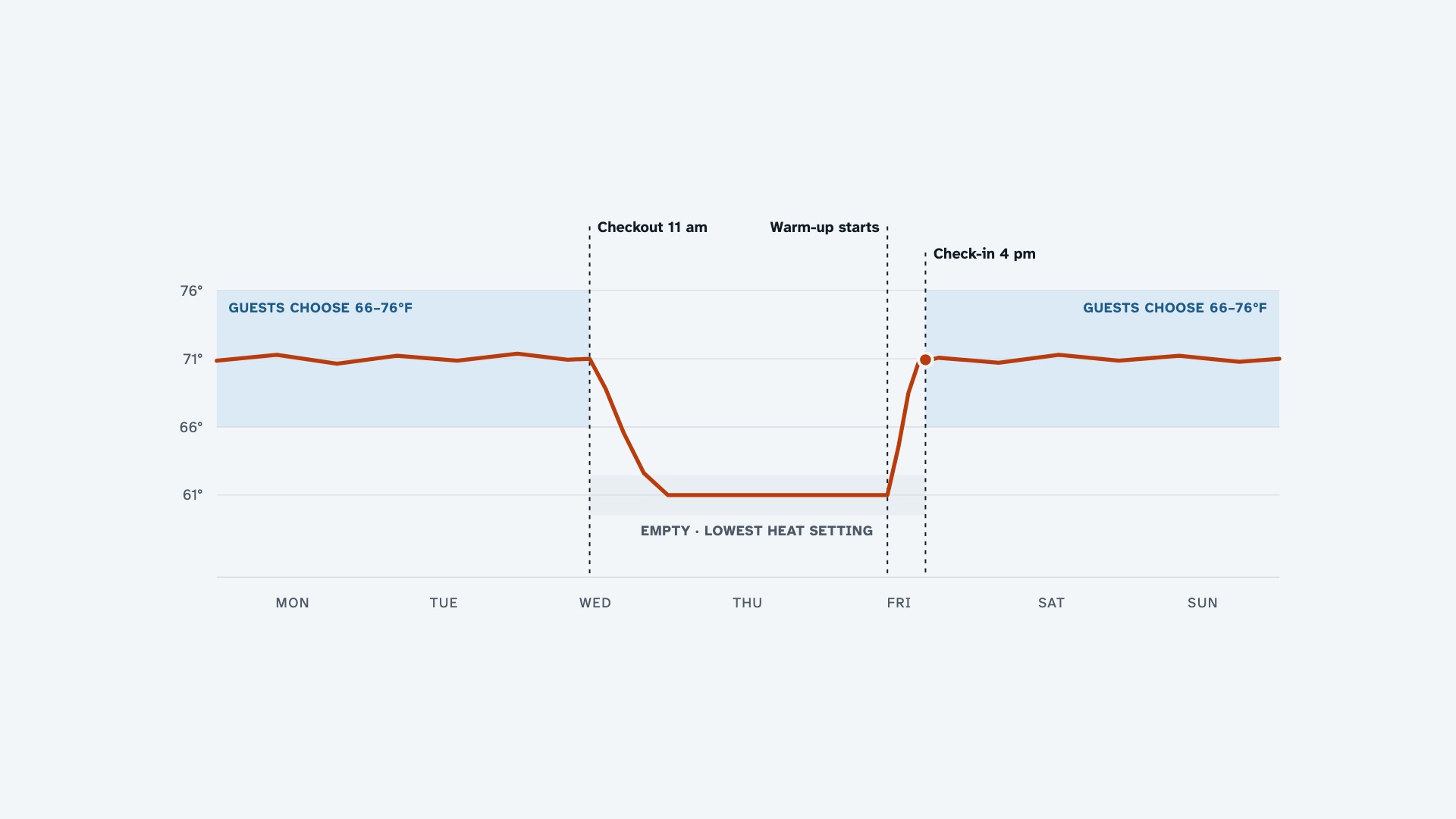
- Warms the home before check-in: back to 71°F, starting 5 hours ahead by default, in Auto or Heat only, your choice per unit.
- Lets guests choose anything from 66°F to 76°F during a stay, and puts a unit outside that range back to 71°F.
- Respects a guest's choice: a unit a guest switches off stays off for the rest of their stay, and comes back on for the next guest.
- Holds low heat while the home is empty, the unit's lowest heat setting (about 61°F), rather than switching off.
- Never changes your display units, so a unit shown in °C stays in °C.
- Emails you if a unit stops answering, after a power cut or Wi-Fi drop, before the next guest finds out.
- Changes nothing if it can't read your bookings.
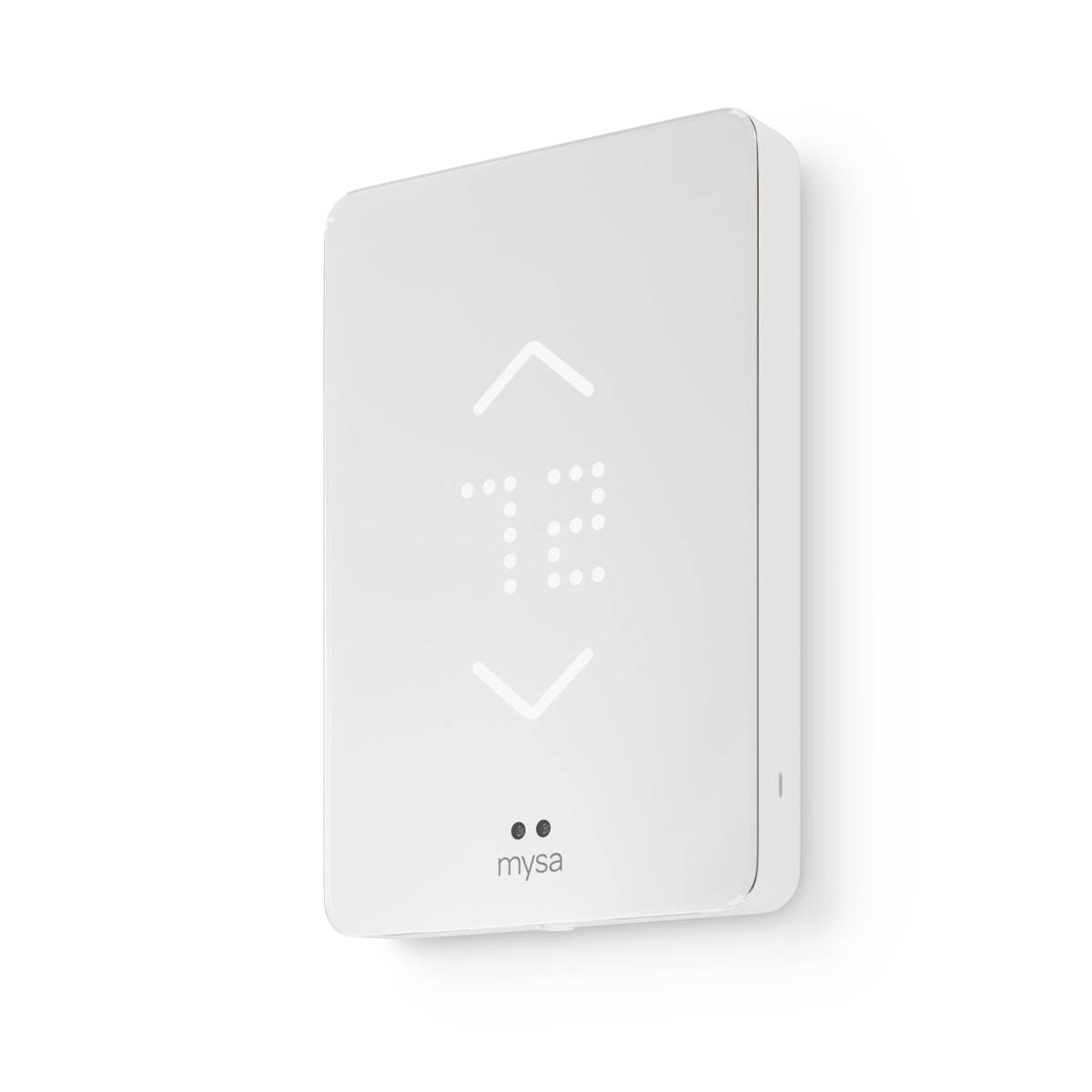
Calendars update automatically, so a new booking, a changed date or a cancellation is picked up on its own. The same account can run Cielo controllers, Mysa baseboard thermostats, Dreo heaters, hot tubs and smart plugs.
STR Spark costs $5/month for each listing with at least one device switched on, with 3 months free to start, and you can cancel anytime. For now it works with North American EWPE Smart and Gree+ accounts.
Common questions
Can I keep using the Gree+ or EWPE Smart app? Yes. STR Spark uses the same account, so you and your cleaners can still check and change units in the app.
Do I need new hardware? No, if the units are already in EWPE Smart or Gree+. A unit without Wi-Fi needs Gree's Wi-Fi module or a Cielo controller.
Does it work with my PMS instead of Airbnb directly? Yes. Use your PMS's iCal export for the listing, and STR Spark reads that.
Try it with your own units
Every property starts in a dry run, so you can see what STR Spark would do with your Gree mini-splits for each upcoming booking before it changes anything. Connect your calendar and try it free →