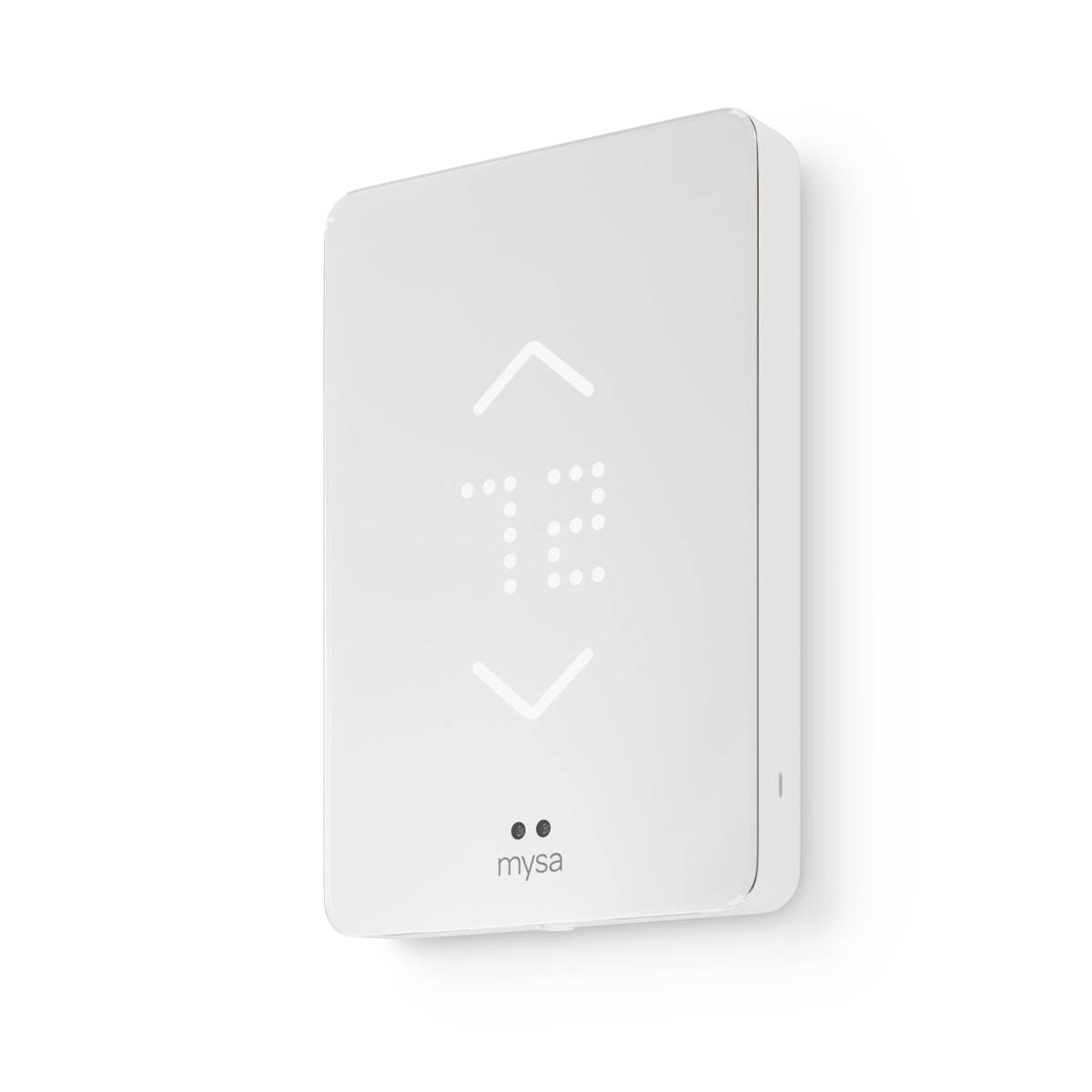
We built it for our own Seattle rentals, which have Mysa thermostats on electric baseboard heaters.
1. Why Mysa's own schedules fall short in a rental
Mysa thermostats are a good fit for a rental: one on each baseboard heater, all in one app, with a clear display guests understand. What the app doesn't know about is your guests.
- Schedules repeat by the day of the week. A Friday-to-Sunday schedule is wrong the moment a guest books Tuesday to Thursday, stays an extra night or cancels.
- Every thermostat is separate. A home with a baseboard heater in each room has one thermostat per room, and each one needs its own change when your bookings move.
- Geofencing follows your phone, not your guest's. Home and Away is built for the person who lives there. In a rental, that person is never home.
- Guests change things. A bedroom left at 78°F stays at 78°F through the empty days until your cleaner notices, or until the power bill does.
Changing schedules by hand after every booking works for one unit with a few bookings a month. It doesn't last through a busy season, and a missed change means a cold house at check-in or a week of heat for nobody.
2. What following your bookings looks like
Every booking platform gives each listing a calendar link (iCal): Airbnb, Vrbo and Booking.com, and PMS tools such as Hospitable, Guesty, OwnerRez and Lodgify. STR Spark reads that link, or imports your properties straight from Hospitable or Hostaway, and turns each booking into a setting for every Mysa thermostat in that property.
With the default settings, each thermostat:
- Warms the room before check-in: to 71°F, starting 5 hours before the guest arrives. Baseboard heat is slow, so you can start a large room earlier.
- Lets guests choose anything from 66°F to 76°F during a stay, and puts a thermostat outside that range back to 71°F.
- Turns the heat down after checkout and holds 55°F until the next guest's warm-up starts. A Mysa switched off has no frost protection of its own, so STR Spark holds a low temperature rather than switching it off.
- Picks up changes on its own. A new booking, a changed date or a cancellation moves the warm-up with it.
- Changes nothing if it can't read your bookings, and leaves the thermostats as they are.
Prefer it warmer or leaner? Each thermostat has three presets, Frugal, Default and Comfy, or your own numbers.
3. What it saves
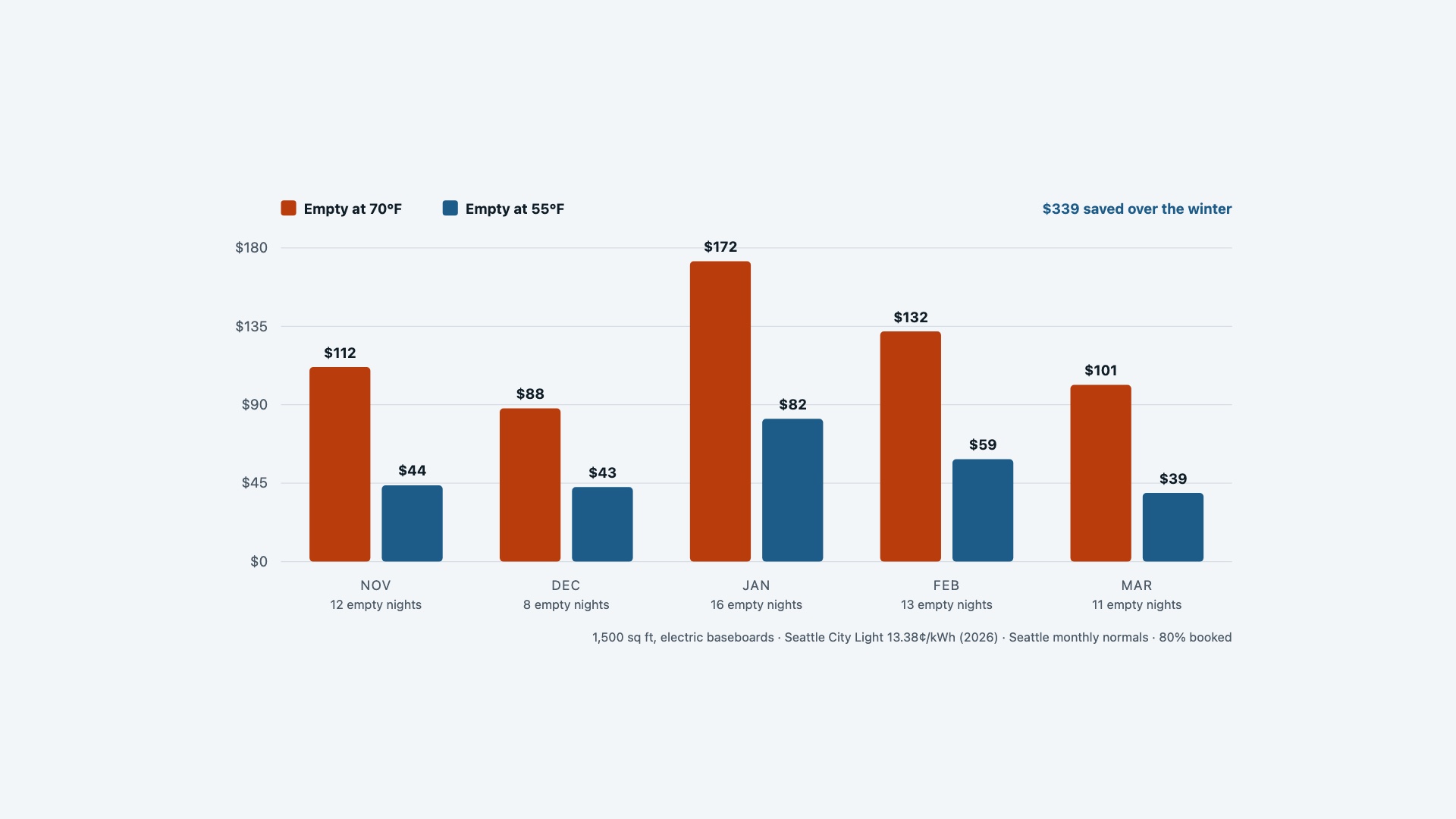
Most of a rental's empty nights are short gaps between guests, which is exactly where a weekly schedule gets it wrong. For a 1,500 sq ft Seattle home on electric baseboard heat, holding 55°F instead of 70°F on those nights saves about $5.65 for every empty day, or up to about $340 a winter. See how we worked it out.
The other saving is your time: no schedule to edit when a booking moves, and no message from a guest who walked into a cold house.
4. Set it up in a few minutes
- Add your property, from Hospitable, Hostaway, or its iCal link from Airbnb, Vrbo or Booking.com.
- Delete the Mysa schedules and turn off geofencing in the Mysa app, so the app doesn't fight your bookings.
- Connect your Mysa account on the Integrations page with the email and password you use in the Mysa app. Your thermostats show up on their own, including ones in a Mysa home shared with you.
- Link each thermostat to its property, pick a preset and switch it on. Press Test first to see what STR Spark would set right now, without changing anything.
The step-by-step version, with what to do if something goes wrong, is in How to connect Mysa thermostats to STR Spark.
Common questions
Which Mysa thermostats work? Mysa's thermostats for electric baseboard heaters and in-floor heating. Mysa's AC controllers and its thermostat for central heating and cooling show up in STR Spark but can't be controlled yet.
Can I keep using the Mysa app? Yes. STR Spark uses the same account, so you and your cleaners can still check and change thermostats in the app. Just leave its schedules off.
Is this an official Mysa integration? No. Mysa doesn't offer one, so STR Spark connects the same way the Mysa app does, and the connection is marked beta. If Mysa changes their app and it stops working, your thermostats stay as they are, and STR Spark tells you.
Does it work with my PMS instead of Airbnb directly? Yes. Import from Hospitable or Hostaway, or use your PMS's iCal link for the listing.
What does it cost? $5/month for each listing with at least one device switched on, with 3 months free to start, and you can cancel anytime. The same account can run other thermostats, mini-splits, space heaters, hot tubs and smart plugs.
Try it with your own thermostats
Connect your calendar and your Mysa account, and press Test on any thermostat to see what STR Spark would do before you switch it on. Start your free trial →