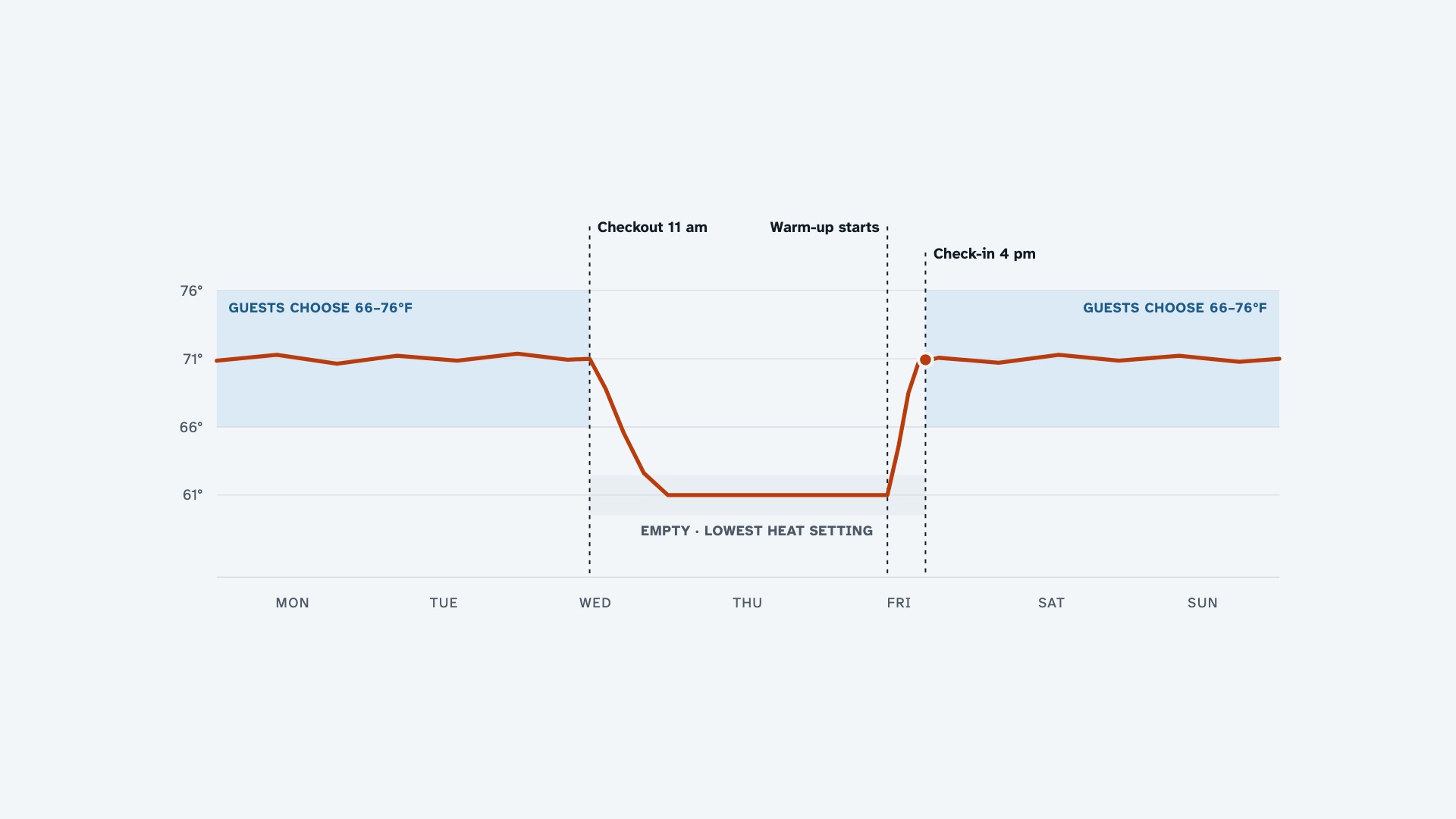
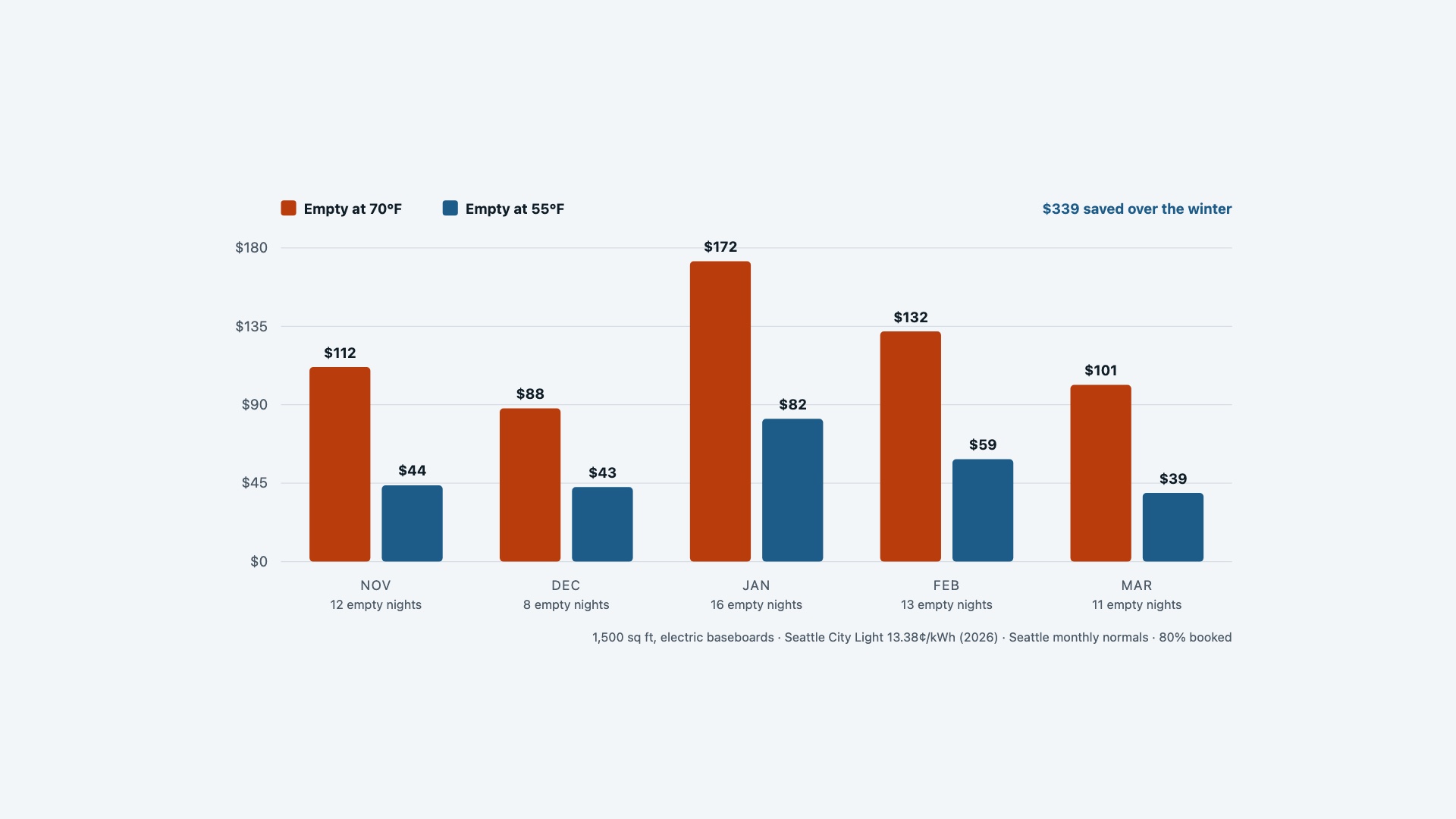
A Sensibo is a small infrared remote that sits in the room and talks to your mini-split or window unit the way its own remote does. STR Spark runs it like a mini-split: it starts warming up about 5 hours before check-in, and while the place is empty it keeps the unit at its lowest heat setting by default, rather than off.
What you need
- A Sensibo (Sky, Air or Air Pro) on Wi-Fi, set up in the Sensibo app and pointed at the unit. If you can change the unit from the app, STR Spark can too.
- An STR Spark account with your property in it. Start a free trial, then import your Hospitable properties or add each one with its iCal link.
Connect your Sensibo
- Open the sign-in. In STR Spark, choose Integrations, press Add device account and choose Ecobee, Honeywell & more. Press Continue to sign in.
- Sign in to Sensibo on Seam's page. Pick Sensibo and sign in with your Sensibo account. STR Spark never sees your Sensibo password: Seam gives us access to that account's devices only. Finish in the same browser tab you started in.
- Link each unit to its property. You're sent back to STR Spark. Open Devices, and in the Property column pick where each one is. Nothing changes on a unit until it's linked and switched on.
- Choose your settings and turn it on. Choose the unit's name to open its page. Pick a preset (Frugal, Default or Comfy), or Custom for your own temperatures, switch Enabled on and press Save settings. Press Test any time to see what STR Spark would set right now, without changing anything.
Turn off Sensibo's own automations
- Climate React: on the unit's screen in the Sensibo app, tap the small Climate React icon above the temperature. Blue means on; tap it so it turns grey.
- Schedules and timers: tap Schedule, and switch off or delete every schedule for that unit. Clear any running Timer too.
- Auto Off and Geofencing (Sensibo Plus): turn them off if you use them.
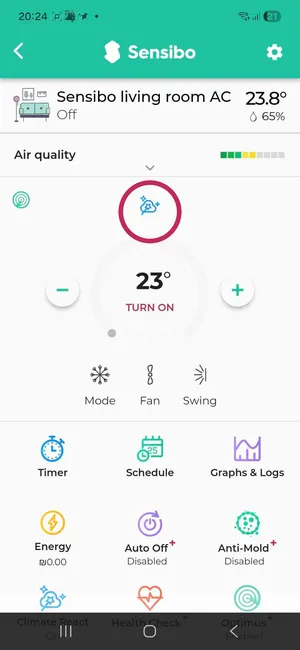
Screenshot: Sensibo help center.
What infrared can't do
Infrared only goes one way: the Sensibo knows the last command it sent, not what the unit is really doing. If a guest uses the unit's own remote, STR Spark doesn't see it until the next check-in or check-out, when it sends its settings again. Most units also have no auto (heat and cool) mode through Sensibo, so in a stay STR Spark keeps the guest's heat or cool setting, or picks heat or cool from the room temperature.
If something goes wrong
- The unit doesn't respond. Make sure the Sensibo can see the unit's infrared receiver, and that the app can control it.
- "This sign-in wasn't started in this tab." Start again from Integrations and finish in the same tab.
- The settings keep changing. Check Climate React, schedules, timers and Auto Off are all off.
- You changed your Sensibo password. On Integrations, press Reconnect (or Sign in again) on the account. Your links and settings stay as they are.
Still stuck? Email us or book a call.